


Alpha GMC – Confident Maneuvering around Millersburg, OH — A Closer Look at the 2026 GMC Yukon Camera Views
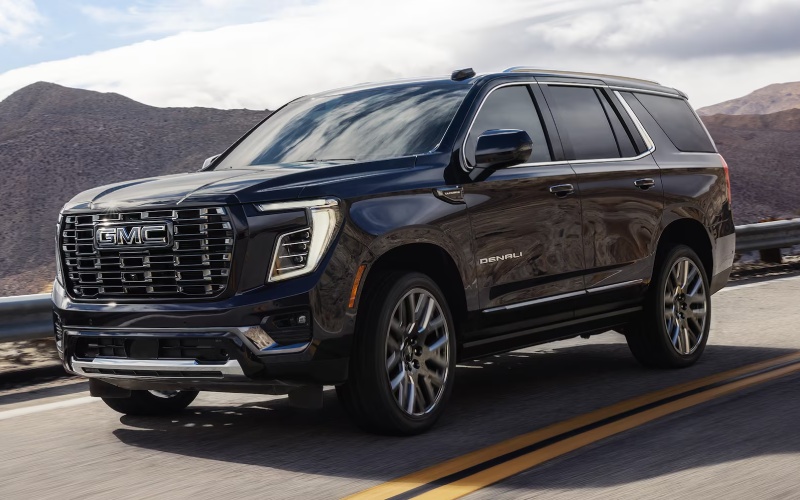
The 2026 GMC Yukon is a full-size SUV with the footprint to match its capability, and that means thoughtful visibility matters for every turn, curb, and trailer hookup around Millersburg, OH. GMC meets the moment with up to 13 available camera views designed to make parking, tight-lane driving, and trailering feel intuitive. From HD Surround Vision that stitches a top-down composite to the available Rear Camera Mirror that widens your perspective, the Yukon helps you see the spaces you once had to guess. Whether you are backing into a spot along Clay Street, hooking up a weekend trailer at dawn, or navigating a busy school pickup line, the Yukon’s camera suite works quietly in the background to give you the angles you need—front, side, hitch, and beyond.
Start with HD Surround Vision. By blending feeds from multiple cameras, the Yukon provides a virtual bird’s-eye overhead view that makes wheel placement near parking blocks or garage walls more precise. The available Rear Camera Mirror transforms the rearview mirror into a display that reduces glare and expands your field of view, which is especially helpful when cargo or passengers obscure the back glass. Pair that with guidance lines on backup and hitch views, and you can align a receiver and ball without the usual trial-and-error. The result is less stress and more confidence, whether you are parallel parking on a narrow street or approaching a boat ramp with family gear on board.
- HD Surround Vision: A stitched overhead composite that reveals curbs, lines, and obstacles around the vehicle at low speeds.
- Front Camera View: A forward-facing angle that helps with tight approaches, blind crests, or angled parking blocks.
- Rear Vision Camera: A wide, clear look at the area directly behind the Yukon, paired with helpful guidance lines.
- Rear Camera Mirror: An available display mirror that broadens your perspective beyond obstructions in the cabin.
- Hitch View: A close-up look at the receiver and hitch ball with guidelines to streamline trailer connection.
- Hitch Guidance: On-screen path indicators that help you steer precisely as you back toward a trailer coupler.
- Front Side Views: Curb-level angles to aid wheel placement and protect rims during close-quarters parking.
- Rear Side Views: Helpful when backing near walls or fences, adding context on both sides of the vehicle.
- Top-Down Views: Virtual overhead renderings that show the Yukon’s footprint relative to surrounding objects.
- Trailer Camera-Enhanced Views: When equipped, specialty angles can extend visibility along and behind the trailer.
Pro tip: devote a few minutes to explore the camera menu before your first busy parking scenario. Adjust brightness and contrast for night use, get familiar with the icons for each angle, and try a slow-speed practice session in an empty lot to see how the top-down views relate to the real world. Clean lens covers often, especially after gravel-road miles or snow, and consider saving a couple of preferred views as go-to choices for home garage entries or workplace ramps. If you tow, learn how Hitch Guidance lines bend relative to your steering wheel angle—the more you anticipate the path, the smoother your approach becomes.
It is natural to ask how these views complement advanced driver assistance. For many families, the combination of visible context from cameras and the confidence of available Super Cruise® on compatible roads covers the full spectrum—meticulous low-speed maneuvering when you need it and hands-free highway driving support when you want to reduce fatigue. That balance is part of what makes the Yukon such an easy daily partner: big on space and power, yet remarkably simple to guide.
Frequently Asked Questions:
Do I need to be in Park to access every camera view?
Most views are available at low speeds or while stationary. Some specialty trailering views may require specific conditions; the on-screen menu will cue availability as you drive.
Can the Rear Camera Mirror be toggled off?
Yes. A simple switch lets you alternate between a traditional mirror and the live video display, letting you choose based on conditions and preference.
Will the system remember my last selected view?
The interface is designed for quick access and typically returns you to commonly used menus. You can easily reselect a preferred view with one or two taps.
Does the camera suite work with the Yukon XL as well?
Yes. Many of the same technologies and camera views are available across Yukon and Yukon XL, depending on trim and equipment.
If you want a hands-on walk-through, schedule a personalized demo and bring your daily routine to life—back into a tight spot, align with a trailer, or test the top-down views in a real parking scenario. Alpha GMC, serving Wooster, Ashland, and Millersburg, can show how HD Surround Vision and the available Rear Camera Mirror fit your day-to-day and weekend plans. One session is usually enough to turn the camera suite into second nature, making a big SUV feel agile everywhere you go.
Request more 2026 GMC Yukon information
Connect with us
